QR Code on Menus: How to modernize your restaurant for free
Published in July 2026 • 8 min read
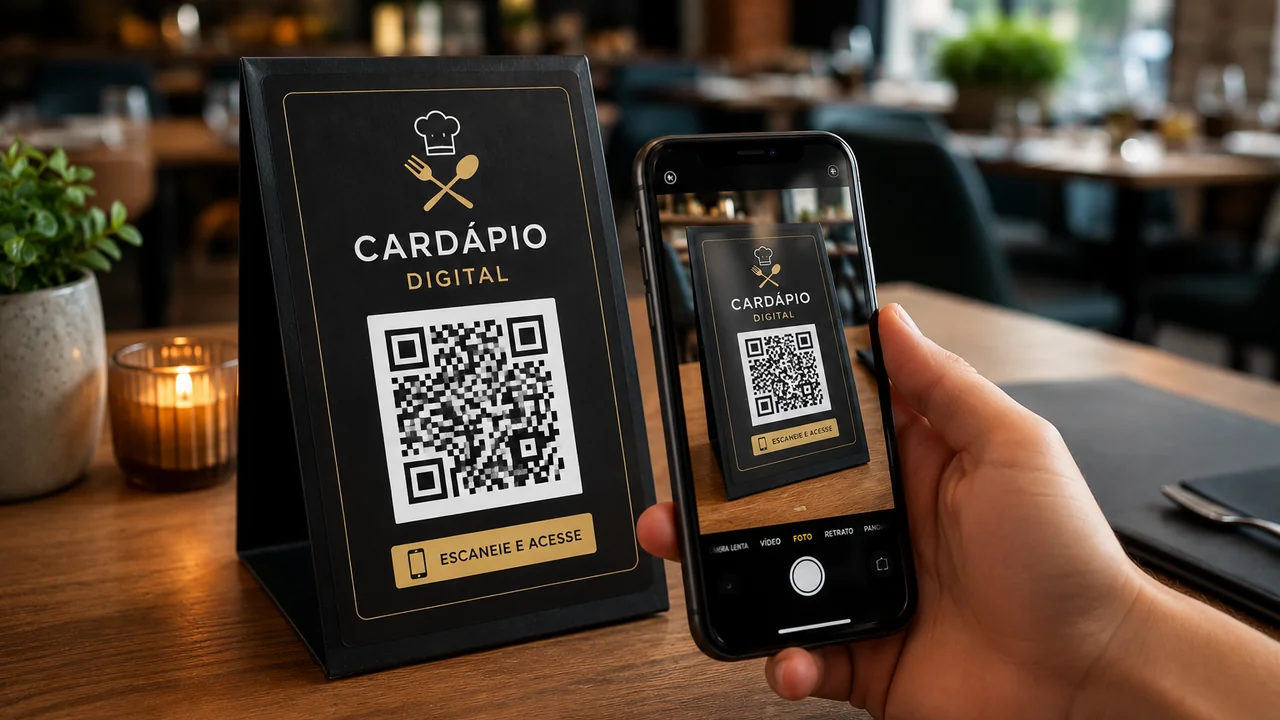
The COVID-19 pandemic accelerated a silent revolution in Brazilian restaurants: the migration from printed menus to digital menus via QR Code. What started as a temporary health measure has become a permanent trend that benefits both establishments and customers. If you own a restaurant, bar, café or any establishment that serves food, this article will show you how to implement this technology for free and efficiently.
Why abandon printed menus?
Traditional printed menus present a series of problems that accumulate over time:
- Recurring printing cost: Every time you change a price, add a new dish or remove an item from the menu, you need to reprint dozens or hundreds of menus. Depending on the graphic quality, this can cost from R$5 to R$30 per unit.
- Hygiene: Paper or plastic menus pass through the hands of hundreds of customers a day. Even with regular cleaning, they accumulate bacteria, grease and dirt that are practically impossible to completely eliminate.
- Physical wear and tear: Printed menus tear, stain with sauce, fade in the sun and quickly look old, damaging the image of the establishment.
- Content limitation: A printed menu has limited space. You can't include photos of every dish, detailed nutritional information, a list of allergens, or translations into other languages without making the menu bulky and confusing.
- Environmental impact: Constantly printing menus consumes paper, ink and energy, generating an unnecessary environmental impact when digital alternatives are available.
How does a digital menu with QR Code work?
The concept is simple and elegant: you create a digital version of your menu (it can be a web page, a PDF hosted online or even an Instagram/Facebook page) and generate a QR Code that points to this link. The QR Code is printed on a sticker, an acrylic display or directly on the table. When the customer points their cell phone camera at the code, the digital menu opens instantly in the browser — without having to install any application.
Options for hosting your digital menu
There are several ways to create and host your menu online, from the simplest to the most sophisticated:
- Google Docs or Google Sheets: The simplest and free option. Create your menu in a Google document and share the link public. Every time you edit the document, the changes reflect instantly to customers.
- PDF hosted on Google Drive: Make a beautiful menu in Canva or Word, export as PDF, upload to Google Drive and share the link. Visually more attractive than a spreadsheet.
- Instagram page: Many small restaurants use Instagram as a digital menu, with pinned posts (highlights) showing the dishes and prices.
- Specialized platforms: Sites such as iFood, Goomer or Menu Web offer specific tools for creating professional digital menus, some with integrated online ordering functionality.
- Own website: If the restaurant already has a website, adding a menu page is the most professional and best-branded option.
Generating the QR Code for your menu
With your digital menu link in hand, generating the QR Code is a matter of seconds using Free Conversion QR Code Generator:
- Access the QR Code generator.
- Paste the link to your digital menu in the URL field.
- Customize the colors if desired (use the colors of the restaurant's visual identity).
- Download the QR Code in high resolution (PNG).
- Print on stickers, table displays or directly on restaurant marketing material.
Advantages of Static vs Dynamic QR Code
A common question among restaurant owners is whether they should use a static or dynamic QR Code. Let's clarify:
Static QR Code (like those generated by Free Conversion): The code points directly to the URL of your menu. It's free, works forever and doesn't depend on any intermediary service. If you need to change the link in the future, you will have to generate and reprint a new QR Code — but the digital menu content can be freely edited without changing the QR Code.
Dynamic QR Code: The code points to an intermediate service that redirects to the final URL. This allows you to change the destination without reprinting the QR Code. However, most dynamic QR Code services charge monthly fees (R$30 to R$100/month) and, if you stop paying, the QR Code stops working — leaving your customers with useless code on their tables.
Our recommendation: For menus, use a static QR Code pointing to a page you control (like a Google Doc or page on your website). This way, you can edit the menu content whenever you want without having to change the QR Code. The important thing is that the URL itself doesn't change — only the content within it.
Practical implementation tips
- Minimum size: Print the QR Code at least 3cm x 3cm to ensure easy reading by any cell phone camera.
- Contrast: Use dark colors on a light background. QR Codes with low contrast may fail to read.
- Visual instructions: Include text like "Point your cell phone camera here" next to the QR Code. Many customers, especially older ones, are still unfamiliar with technology.
- Test before printing: Always test the QR Code with at least 3 different cell phones (Android and iPhone) before sending it to the printer.
- Sturdy material: Consider printing on laminated or acrylic material for greater durability in a restaurant environment.
Additional benefits for your business
In addition to practicality and savings, digital menus via QR Code offer strategic benefits:
- Analytics: If your menu is on a web page, you can use Google Analytics to find out which items customers view most.
- Marketing: The QR Code can direct to a page that, in addition to the menu, includes promotions, a loyalty program or a link to review on Google Maps.
- Real-time update: Have you run out of a dish? Edit the digital menu immediately without having to notify each waiter or cross out items on the printed menu.
- Multilingual: For restaurants in tourist areas, the digital menu can have versions in English, Spanish and other languages with a simple switch button.
Conclusion
Migrating to digital menus via QR Code is not just a trend — it is a smart decision that reduces costs, improves hygiene, facilitates updates and increases the perception of modernity of your establishment. With Free Conversion QR Code Generator, the entire process is free, fast and does not require any technical knowledge. Get started today and say goodbye to dirty, outdated paper menus.