What is the best video format? (MP4, WebM, MKV or AVI)
Published in July 2026 • 10 min read
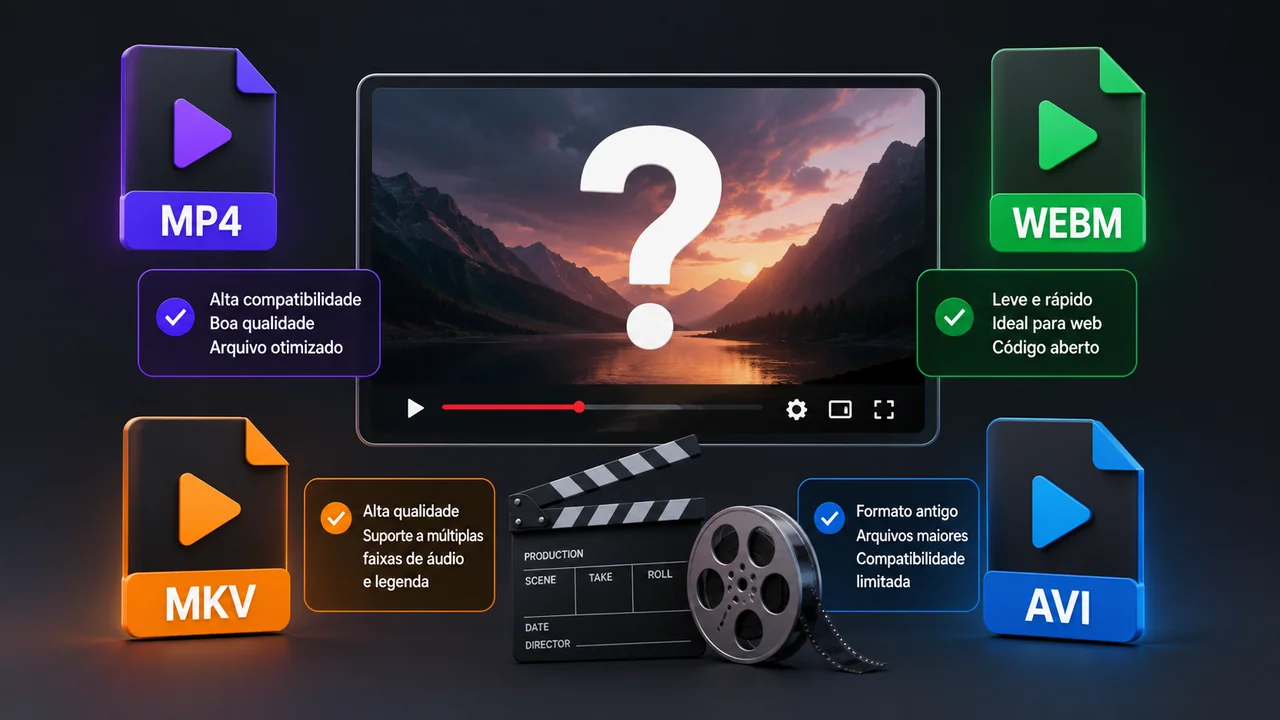
If you work with video — whether as a content creator, professional editor, or simply someone who records videos on their phone and needs to share them — you've probably faced the question: which video format should I use? The answer depends on your goal, and in this article we'll dive deep into the four most popular formats to help you make the best decision.
Understanding containers and codecs
Before comparing formats, it is fundamental to understand two concepts that are often confused:
- Container: The "wrapper" of the file. It's what you see in the extension: .mp4, .mkv, .avi, .webm. The container defines what types of data can be stored inside the file (video, audio, subtitles, metadata).
- Codec: The algorithm that compresses and decompresses the video and audio inside the container. Examples: H.264, H.265 (HEVC), VP9, AV1 for video; AAC, MP3, Opus for audio.
A useful analogy: the container is like a suitcase, and the codecs are the clothes inside it. The same suitcase (MP4) can contain winter clothes (high-quality H.265) or light clothes (low-bitrate H.264).
MP4: The universal standard
MP4 (MPEG-4 Part 14) is the most widely used video format in the world. If you need a quick answer and don't want to read the entire article: use MP4. It works on virtually any existing device, platform, and software.
Why does MP4 dominate?
- Universal compatibility: Works on Windows, Mac, Linux, iOS, Android, Smart TVs, video game consoles, web players and all social networks.
- Native streaming: Supports progressive playback (start watching before downloading the full file).
- Modern codec support: Accepts H.264 (maximum compatibility), H.265 (efficient compression) and even AV1 (state of the art).
- Rich metadata: Supports chapters, thumbnails, GPS info and other metadata.
Best for: Social media, YouTube, sharing via WhatsApp, personal storage, professional presentations.
WebM: Google's format for the web
WebM is an open-source video format developed by Google specifically for web use. It uses VP8/VP9 (video) and Vorbis/Opus (audio) codecs, all royalty-free.
Advantages of WebM
- Optimized for the web: Loads faster in browsers and consumes less bandwidth than MP4 in many scenarios.
- Open source: No licensing costs, unlike H.264 which has patents.
- Supported by all modern browsers: Chrome, Firefox, Edge, Opera and Safari support WebM.
- Excellent for HTML5 video: If you develop websites, WebM is the ideal choice for embedded video.
Disadvantages of WebM
- Limited compatibility outside the browser. Smart TVs, consoles and many mobile apps do not play WebM.
- Not accepted by social networks (Instagram, TikTok, Facebook prefer MP4).
- Fewer editing tools support WebM natively.
Best for: Embedded videos on websites, web apps, HTML presentations and use on Google platforms.
MKV: The flexible container
MKV (Matroska) is the most flexible and technically advanced container available. It is designed to store virtually any combination of video, audio and subtitle codec in a single file.
Advantages of MKV
- Multiple tracks: Supports an unlimited number of audio tracks (languages), subtitles and even alternative videos in the same file.
- Chapters: Allows chapter navigation, like a DVD menu.
- Any codec: Accepts literally any existing codec — H.264, H.265, AV1, VP9, FLAC, DTS, Dolby Atmos.
- Lossless audio: Supports FLAC and DTS-HD for maximum audio quality.
- Open source: Royalty-free and patent-free.
Disadvantages of MKV
- Lower compatibility than MP4 — does not work on many TVs, phones and consoles without additional apps.
- Not accepted by any social network or streaming platform.
- No native support for progressive streaming.
Best for: Personal collection of movies and series, archiving with multiple languages, media centers (like Plex, Kodi, Jellyfin).
AVI: The legacy
AVI (Audio Video Interleave) was created by Microsoft in 1992 and was the dominant format for over a decade. Today, it is considered essentially obsolete for new projects, but is still found in many old files.
When to use AVI?
Practically never for new projects. The only scenario where AVI still makes sense is when you need compatibility with very old hardware or software that does not recognize MP4 or MKV. For all other cases, MP4 is superior in all aspects.
If you have old AVI files that you need to convert, use the Free Conversion Video Converter to turn them into modern MP4s.
Summary: which format to choose?
- General use / sharing / social networks: MP4 with H.264
- Website / web application: WebM with VP9
- Personal collection / media center: MKV with H.265
- Compatibility with old systems: AVI (last resort)
- Maximum quality / archiving: MKV with H.265 + FLAC audio
- Smallest possible size: MP4 with H.265 or AV1
How to convert between formats
Regardless of the format you need, the Free Conversion Video Converter converts between MP4, WebM, MKV, AVI and other formats directly in your browser. All processing is local — no files are sent to servers — ensuring total privacy and maximum speed.
Conclusion
There is no single "best format" — there is the right format for every situation. MP4 is unbeatable in universal compatibility; MKV is the champion of flexibility; WebM shines on the web; and AVI is a relic that still has its place in specific niches. Understanding these differences allows you to make informed choices and avoid compatibility issues. And when you need to convert, we are here to help.